Wednesday, January 11, 2017

Robotizing Your Curriculum with Spheros

This past Monday I had the opportunity to share ways to use Spheros in the classroom during my interview by NORT2H out at their studio located in the Lorain County Educational Service Center. NORT2H stands for the Northern Ohio Research and Technology Training Hub and is directed by Dave Miller, who for me has been a digital resource since I began teaching at the high school oh so many years ago.  He helped get me started in the knee replacement distance learning program I participated in with my anatomy class every semester which was always a totally amazing experience (hmm, not a bad blog post topic for a later date).  Mike Triska, also with NORT2H, is the technology integration trainer who conducted the interview and has been a supportive participant in my previous conference sessions.  Thank you Dave and Mike for the interview as an Innovator in Education!

Just today, Leia Gentile's and Angela DeWitt's 7th grade social studies students used the Sphero robots to drive their self-made Roman chariots around the classroom "Circus Maximus".

If you would like to use these intriguing little robots in your class, contact me at jbengele@vermilionschools.org I would welcome the challenge to apply Spheros to your content area!


Wednesday, January 4, 2017

Back in the Blog Again

Happy New Year!  Time to turn over a new leaf and get to blogging again.
Here is a synopsis of this year's VLSD events - past, present, and future from a tech coach's perspective . . .

Fall 2016

  • Online programs presented in start-of-year staff meetings; slides available here → VES, SMS, VHS
  • Ideastream Technology + Learning Conference; our teachers session presenters (Fig. 1)
  • Moving towards making  . . .
    • "Makerspace" ideastream course taken by cohort this past summer
    • Staff PD with 3D pens, Spheros, littleBits, Osmo and more!
    • Trip to CWRU's think[box] (Fig. 2)
    • Visit to Rocky River makerspace (Fig. 3)
Fig. 1 VES art teacher Mike Kacur presents at ideastream's
Technology + Learning conference on November 14, 2016 


Fig. 2 A VHS student uses a 3D printer at CWRU


Fig. 3 The Rocky River High School makerspace


Winter 2017


Fig. 4 Honors Biology prepares to learn about Cholera
using a breakout lesson prepared by Becky Jessen

Spring 2017

  • Blended Learning Crew meeting Fri., Mar.10th 7:15 SMS join us for ☕ &🍩 !
  • Mar. 18th EdCamp Cleveland in Avon - register for free at https://edcampcle.wordpress.com
  • More to come!


Monday, May 23, 2016

Tech Thursday & Tinker Time Join Future Fridays!

In an earlier post, I described Future Fridays which take place during the lunch periods at VHS to allow students to experience latest technology and concepts in STEM (Science, Technology, Engineering, and Math).  Now, we've added Tech Thursday and Tinker Time which occur at SMS and VES respectively.  Both events were wildly popular with the students and will become a monthly event during the 2016-2017 school year.

Spheros, Spheros Everywhere!


You may have noticed the mesmerizing colored lights of the Sphero robots rolling around the hallways of VHS.  As part of our STEAM (Science, Technology, Engineering, Art & Math) integration efforts, we have acquired 12 of these versatile robots to incorporate into projects and lessons in all classes.   Currently, we are using them in our art classes for painting abstract portraits and gain experience in long exposure photography.  Next year, we are planning to use the Spheros to power student-constructed Roman chariots when learning about ancient Rome in 7th-grade social studies. We are also using the robots in Biology at the high school to conduct our own experiments in genetics to study the inheritance of traits.

Spheros can be controlled by steering the robot with the driving part of the app on their mobile device, or can be programmed with simple block code.  Most of the students have been driving the robots using their smartphones as the remote control, however, I am hoping that as our comfort level with this technology increases, students start coding their own Sphero programs.

If you would like to use these within your classroom, please let me know and I will find a project that correlates to your curriculum.  For more information on Sphero Education, please visit http://www.sphero.com/education.


Monday, May 9, 2016

Future Fridays

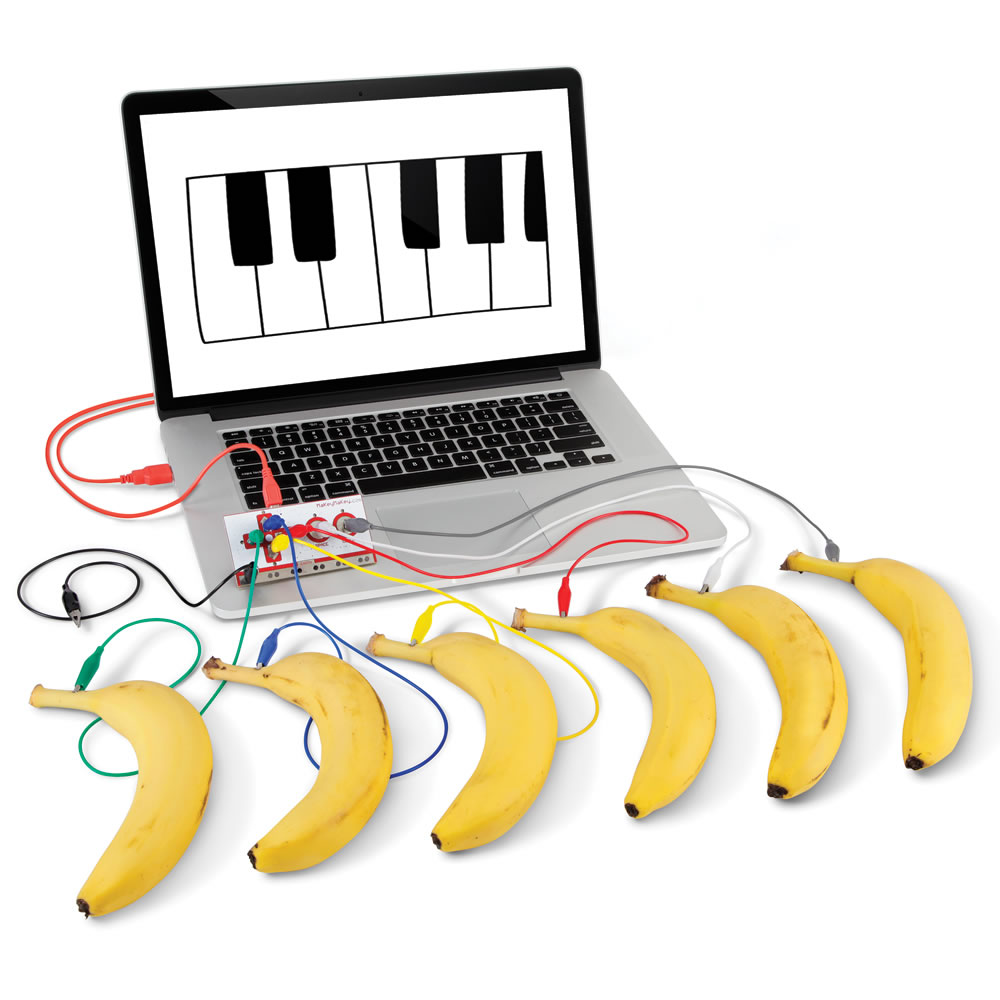
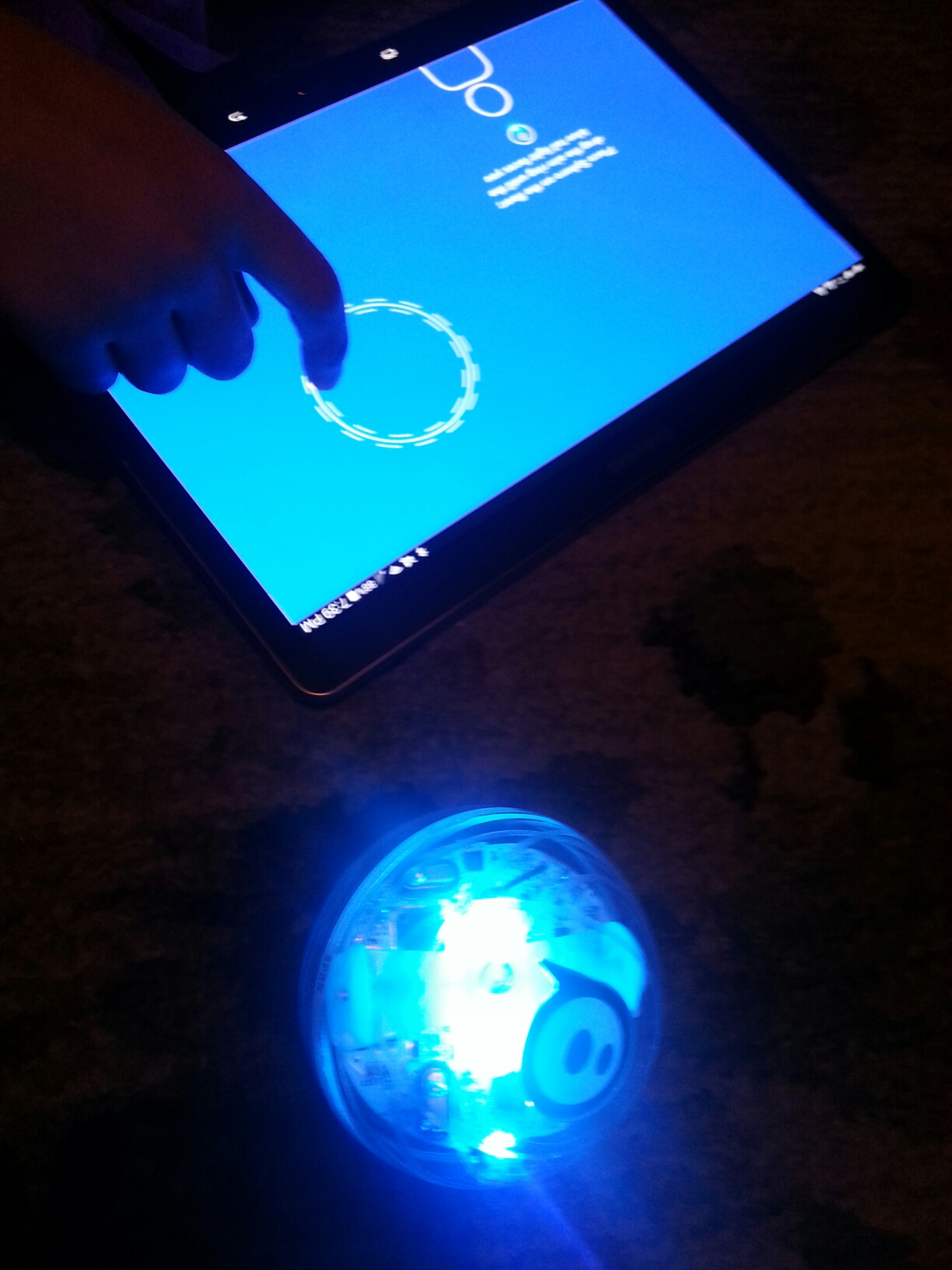
     This past Friday, during Vermilion High School lunch periods, we held our first Future Friday symposium providing our students time to explore some new technology trends and tinker with some traditional STEM (Science, Technology, Engineering, and Math) tools, such as robotic kits and building blocks.  A favorite included the banana piano, created by using a program in Scratch and the MakeyMakey, a device which can turn any conductor into a keyboard.  The Sphero robot was a huge hit with its maneuverability, speed, and multi-colored lights.  Students were astounded when they were magically transported to a museum through a VR (Virtual Reality) app using the updated View-Master.  And it wouldn't have been Future Friday without the versatile Raspberry Pi, a single-board computer that can be used for a limitless number of projects and applications.
     Future Fridays were started to incorporate STEM concepts for our high school students and solicit their ideas about creating a Makerspace at the high school.  A Makerspace is a creative work place for the members of a community to put their ideas into practice.  Many libraries, such as the Cleveland Public Library have converted a portion of their building into a Makerspace and are now offering access to equipment and services, such as 3D printing.  For instance, you can create a 3D file (.STL file) from home, send it to the Cleveland Public Library, they print it out for you on a 3D printer and you pick it up a week later for a nominal fee.  More and more schools are following this trend and are devoting resources to setting up their own Makerspace areas.  The idea is to provide students the opportunity to use their imaginations to invent solutions to problems while learning perseverance, for most solutions are achieved only through a process requiring numerous attempts and modifications.
Makey Makey Banana Piano
Sphero SPRK Robot


Raspberry Pi
View-Master VR


Become involved as a teacher in your building by contacting your principal.  We are currently looking for volunteers to form a STEAM (Art too) committee.  If you are a student and would like to get involved, please begin by completing this form: http://goo.gl/forms/f5FvrQqTzw 
You can also contact Mrs. Bengele for more information.

Wednesday, April 27, 2016

Workings of an EdCamp

On Saturday, April 16th, Katie Cseh and I attended EdCampNEO held in Mentor High School's state-of-the-art Paradigm center.  It was the first official "EdCamp" I had attended and was unsure of what to expect of this new trend sweeping the nation, however, I had heard this format of professional development was exceptionally worthwhile.  So here is a summary of how it worked.

The morning began at 8am with an appetizing breakfast spread complete with bacon and eggs!  During the first hour of camp, while dining on our scrumptious breakfast with like-minded colleagues, attendees were asked to complete a Google form to submit a topic they would like to discuss with the option to act as moderator for the discussion.  Being a moderator simply means that you are willing to try to move the conversation along - not present or dominate the discussion.  This made the atmosphere considerably more laid-back and non-threatening.  Also, it made all participants accountable for being active contributors to the conversations they joined.  Meanwhile, the coordinators of the EdCamp were actively posting topics and assigning rooms to host the proposed discussions.

After sessions and moderators had been established, participants were able to view the schedule and decide which sessions they were going to attend.  There were only 3 back-to-back sessions, each lasting about 45 minutes.  If we did not find the conversation to be stimulating, we were free to leave one and enter another.  Between each session was a 15-minute break, which allowed teachers to get coffee, and discuss ideas that had been shared in their previous session. Each session began with a brief introduction of the participants and the moderator asked the first question to get the ball rolling.  After that, the discussion was in full swing.  Some of the many diverse topics included using rubric tools, preparing our students to be career-ready, and providing our students a global platform.

The 3 sessions were followed by lunch from a food truck with gourmet cheeseburgers (how awesome is that?) with a student DJ playing some music requested via Twitter by the attendees.  We also had a talented student do a dance routine (dinner and a show!).  Towards the end of lunch - and this was a great idea - 20 participants were asked to share one strategy or tool they found to be most helpful in one minute or less with the whole group. So, in about 10 minutes everyone was able to walk away with additional items from all of the sessions.  The EdCamp concluded with a multitude of drawings for some really cool items, everything from signed books to tech tools to office supplies.

If this sounds like an experience you would be interested in, you're in luck!  The next EdCampCLE is going to be held at Kinsner Elementary School in Strongsville on May 21st!  I'm in, are you?

You can find more information about EdCampCLE at https://edcampcle.wordpress.com/ 


Monday, April 11, 2016

The Power of Backchanneling

Backchanneling is the process of having a side conversation during a presentation.  Basically, it is the modern way of passing notes.  This can actually be a powerful learning tool for students during certain class activities, just as it is for teachers during a professional development training (c'mon, teachers backchannel ALL the time).  So, let me give you an example of the learning potential of backchanneling.

Back in February, Mrs. Jessen's Honors Biology class participated in a distance learning program through WVIZ/PBS Civic Common ideastream and in cooperation with the Great lakes Science Center about Lake Erie algal blooms and their wide-reaching impacts on water quality.  For the first 20 minutes of the program students were engrossed in listening to the discussion between the expert panelists partaking in the forum, which included politicians, scientists, business leaders, city leaders, and community activists.  Then, as the conversation progressed, engagement in the program began to wane.

Suddenly it hit me - why don't I create a shared Google Doc, so that students and teachers can post their questions and comments about what they are hearing from the program?  (Duh, yes I'm a tech coach.)  So, I quickly created a doc, shared it with Mrs. Jessen and her class, and KABOOM - meaningful dialogue between students and other students, and between students and teachers started happening.

Here are some of the comments and questions from the shared gDoc:
  • If the protists causing these algal blooms are toxic based on the number of genes expressed, can we find a way to alter those genes to prevent toxicity?
  • They mentioned that the Toledo incident happened mainly because they only had 1 water intake, I think.. Is Vermilion the same or do we have more?
  • What kind of bacteria or viruses can limit algal blooms? I feel like that may make the problem worse depending on what is used

See what I mean?  So, what are some tools that we as teachers can use to promote appropriate student backchanneling?  Obviously, Google Docs as the example above illustrates is an effective tool.  Not only can you monitor the conversation and chime in, but you can see the revision history of who said what.  Twitter is another option, although one that you as a teacher have less control over.  However, it may set up an ideal situation to integrate a conversation with students about responsible digital citizenship.  Along the same lines as Twitter, but more visual is Instagram.  TodaysMeet, Socrative, and GoSoapBox are other free sites that allow your students to answer questions and post discussion items.  Please contact me if you would like to further explore backchanneling in your classroom!